
My parents had been sharing one old phone for video calls with the grandchildren, squinting at a small screen held at arm’s length. Every call involved at least one moment of someone saying “move it up, I can only see your forehead.” When my mother mentioned, almost in passing, that she wished the screen were bigger, I decided to get them a tablet. To keep the cost reasonable, I chose to buy a used one.
That decision turned into a small project. Buying second-hand electronics for someone else, especially for parents who are not confident with technology, involves more than finding a good price. I had to think about software support, security, accessibility, and how to set it up so they would actually use it. Here is what I learned along the way, including a few mistakes I almost made.
Why used, and why a tablet
A tablet seemed like the obvious choice. A larger screen makes video calls, photos, and reading much easier. Touchscreens are more intuitive for many older users than laptops with keyboards and trackpads. Tablets also start up quickly, have long battery life, and do not need much maintenance.
Buying used made sense for a few reasons. New tablets can be expensive, and my parents did not need the latest model. For video calls, browsing, photos, and a few simple apps, a tablet that is a couple of years old is more than powerful enough. Buying used also keeps a working device in use rather than in a drawer or landfill, which appealed to me.
The challenge was making sure the used tablet would stay safe and useful for several years, rather than becoming outdated within months.
The most important check: software support
The single most important thing I learned is to check how long the tablet will continue to receive software and security updates. Manufacturers support their devices for a limited number of years. After that, the device may still work, but it stops receiving security fixes, and over time apps stop supporting it.
For a device that my parents would use for video calls, email, and possibly online banking in the future, security mattered. An unsupported tablet would be a risk, especially for people who might not recognize suspicious messages or websites.
So before looking at prices, I looked up the update policies for several models. Some manufacturers publish clear support timelines; others are vaguer. I narrowed my search to models that would still receive updates for at least three to four more years. That ruled out some very cheap older tablets that looked tempting at first.

Where I looked and what I checked
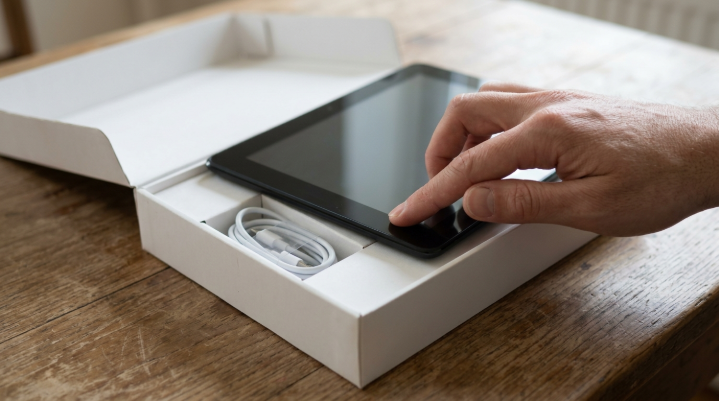
I considered several sources: certified refurbished devices from retailers or manufacturers, second-hand marketplaces, and local sellers. Refurbished devices from reputable sellers cost a bit more, but they usually come with a warranty, a tested battery, and a reset to factory settings. For a device I was buying for someone else, that peace of mind was worth the extra cost.
Whatever the source, I learned to check a few things. First, the battery health, since batteries degrade over time and a worn battery means frequent charging. Some sellers list battery capacity; if not, I asked. Second, the screen condition, looking for cracks, dead pixels, or discoloration. Third, whether the device was fully reset and removed from the previous owner’s account. A tablet still linked to someone else’s account can be locked and essentially unusable.
I also checked that the charger and cable were included, or at least that the tablet used a common charging connector I already had. And I made sure the storage was large enough for photos and a few apps, since cheaper models sometimes have very little.
Accessories that made a real difference
Alongside the tablet, I bought a few inexpensive accessories that turned out to be more important than I expected. The first was a sturdy case with a built-in stand. My parents rarely hold the tablet during video calls; they prop it up on the kitchen table. A stand that sets the right angle meant the camera captured their faces instead of the ceiling, and nobody had to hold anything.
The second was a screen protector. Tablets get dropped, especially when they are new and unfamiliar, and a cracked screen on a second-hand device would have been a frustrating setback. The third was a longer charging cable, so the tablet could stay plugged in at the table without being placed awkwardly near the wall socket.
I also considered a simple stylus for my father, who sometimes struggled with precise taps. He did not end up using it much, but it is there in the drawer if he needs it. Altogether, these accessories cost very little but made the tablet far more comfortable for them to use day to day.
The mistake I almost made
I nearly bought a tablet from a private seller that seemed like a great deal. The photos looked good and the price was low. When I asked about the account lock, the seller was vague, and when I asked for the model number, it turned out to be much older than the listing suggested. It would have stopped receiving updates within a year.
I walked away from that deal and paid a little more for a certified refurbished tablet with a one-year warranty. In hindsight, that was clearly the right choice. When buying used, unusually low prices often hide a reason.
Setting it up for my parents
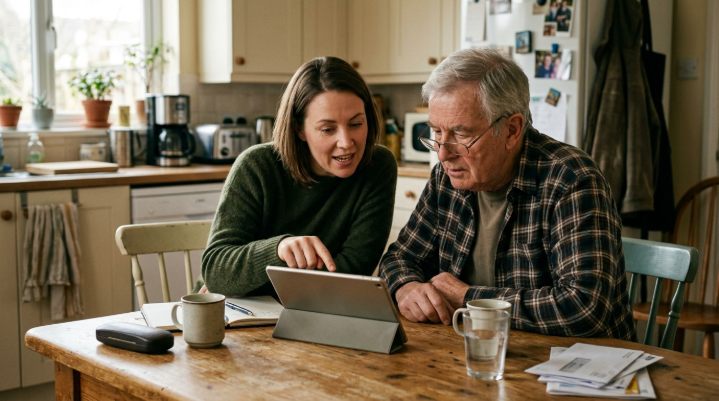
The setup turned out to be just as important as the purchase. I did it at their house, with them sitting beside me, so they could see what I was doing and ask questions. I created an account for them, using an email address they already had, and wrote the login details down for them to keep somewhere safe at home.
Then I simplified everything. I removed apps they would not use and arranged the home screen with only the essentials: the video calling app, photos, a web browser, the weather, and a news app they liked. I made the icons larger and increased the text size in the accessibility settings. I turned up the screen brightness and the default volume.
I also turned on automatic updates, so security fixes would install without them needing to do anything. And I set up a way for me to help remotely if needed, so I would not have to drive over every time something went wrong.
Teaching, not just installing
The first few weeks were a learning period. My mother quickly mastered video calls, and within days she was calling the grandchildren more often than before. My father took longer, but he discovered that he enjoyed reading news on the larger screen, with the text size turned up.
I learned that teaching works best when it is slow and focused. Instead of explaining everything at once, I showed them one thing at a time and let them practice. I wrote a simple one-page guide in large print with step-by-step instructions for the things they did most: making a video call, looking at photos I shared, and charging the tablet. That page lives next to the tablet and gets used regularly.
Patience mattered more than any setting. There were frustrating moments for all of us, especially when an update changed the layout or a pop-up appeared unexpectedly. But each time, they became a little more confident.
Talking about scams and safety
Giving my parents a connected device also meant talking about online safety. We discussed the common warning signs: messages asking for passwords or payment, urgent requests for money, links from unknown senders, and calls claiming to be from tech support. I told them that if anything felt strange, they should call me before doing anything.
I also set up the tablet so that new app installations require a password that I helped them choose, which adds a small barrier against accidentally installing something harmful. It is not perfect protection, but combined with automatic updates and our conversations, it gives me more confidence.
What changed in the family
The biggest surprise was how the tablet changed small family routines. My sister started sending short videos of her children every few days, knowing my parents would actually watch them on a bigger screen. My parents started a weekly Sunday call with all the grandchildren at once, which would have been impossible on the old phone.
My mother also discovered recipe videos and now cooks dishes she learned from them, then proudly shows us the results on the next call. My father reads the news from different countries and has started telling me about things before I hear about them. A device I thought of as a simple video call screen became a window into much more of the world for both of them.
Was it worth it?
Six months later, the tablet is one of the most used devices in my parents’ house. The video calls are clearer and longer. The grandchildren show them drawings, school projects, and new toys. My parents look at shared family photos almost every day. The squinting and the “I can only see your forehead” moments are gone.
The used tablet cost a fraction of a new one, and with its ongoing updates, it should serve them well for several years. More importantly, it has brought the family a little closer, which is the whole point.
One more thing worth mentioning: the tablet also became a backup for the old shared phone. When that phone ran out of battery or was misplaced, my parents could still receive calls and messages on the tablet, which made everyone less anxious about staying in touch.
Advice for anyone doing the same
If you are thinking about buying a used tablet for an older relative, here is my short checklist. Check how long the model will receive software updates, and avoid anything close to its end of support. Buy from a source that offers a warranty and confirms the device is reset and unlocked. Check the battery health and screen condition.
Then, set it up together, simplify the home screen, increase text size, turn on automatic updates, and set up a way to help remotely. Write a short printed guide. Talk about scams openly and calmly. And be patient, because the device is only half the gift. The other half is the time you spend helping them feel comfortable using it.
